Standard images
BMP, PNG, JPEG/JPG, and TIFF/TIF viewing, zooming, panning, pixel inspection, histograms, and comparison.
PixelScope is built for image quality analysis, ISP debugging, algorithm output inspection, and camera data validation. It brings pixel values, histograms, RAW/YUV parsing, image comparison, and sequence playback into one professional workspace.
Requirements: 64-bit Windows 10/11, an x64 processor, and .NET Framework 4.8. A DirectX 11-capable GPU is recommended. Internet access is required for initial activation.
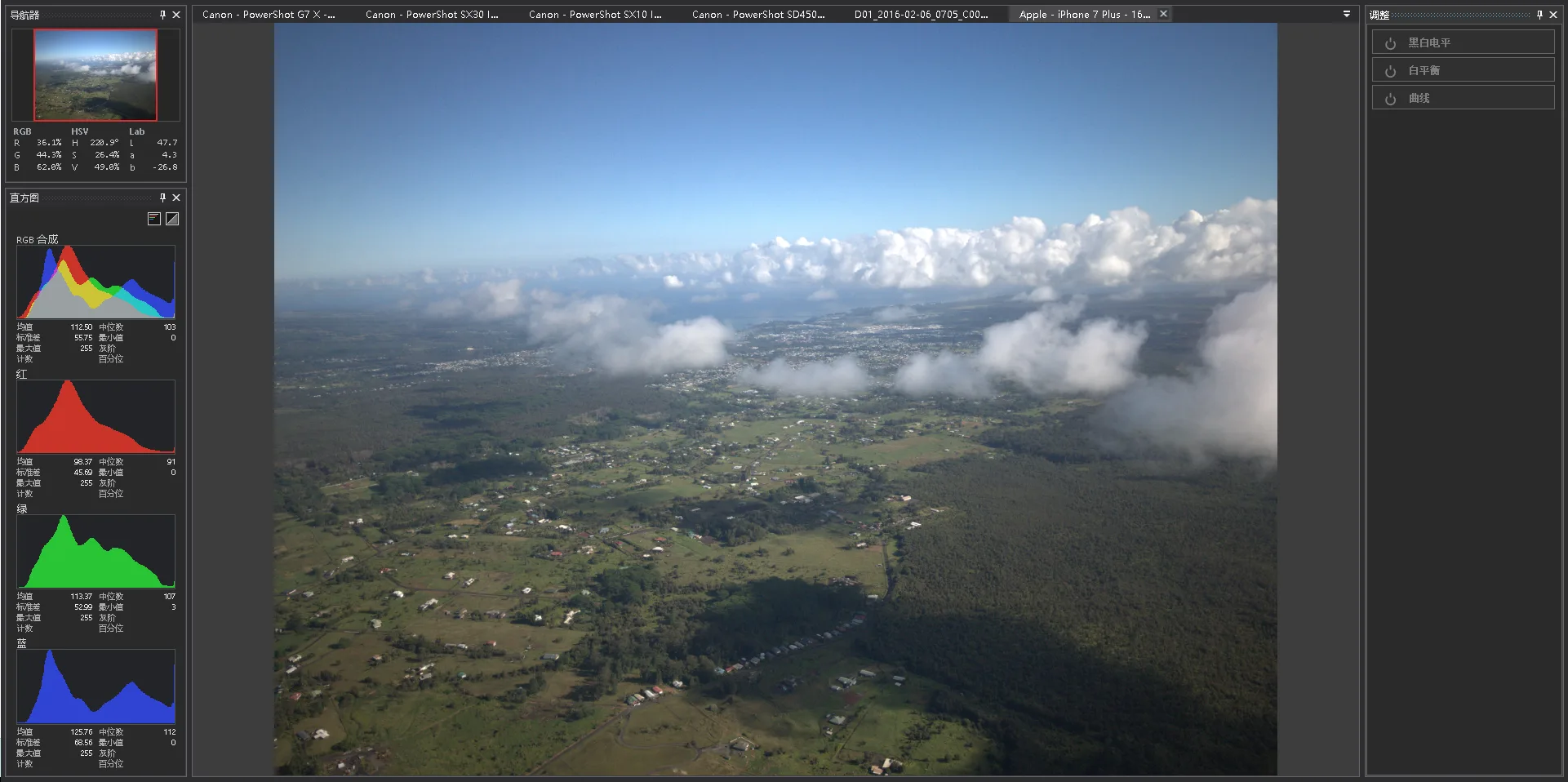
The challenge is not just opening an image. Engineers need to interpret source data correctly, verify pixel-level changes, and compare multiple processing results in the same context.
Configure size, bit depth, Bayer pattern, byte order, YUV format, and multi-frame layout before opening data.
Inspect Source RAW/YUV values, displayed RGB values, status-bar coordinates, and histogram statistics.
Tile documents, compare two images, and use overlay workflows for before/after algorithm checks.
Play, pause, and step through RAW/YUV clips to inspect flicker, 3DNR ghosting, and temporal instability.
Analyze RGB display histograms, source RAW/YUV histograms, and ROI statistics.
Create screenshots that include configuration, view state, histograms, and comparison results.
Standard images can be opened directly for viewing, zooming, panning, pixel inspection, histograms, and comparison. RAW/YUV data can be parsed with explicit parameters for camera, ISP, and algorithm pipeline validation.
BMP, PNG, JPEG/JPG, and TIFF/TIF viewing, zooming, panning, pixel inspection, histograms, and comparison.
Specify resolution, bit depth, Bayer pattern, byte order, and YUV format before decoding source data.
Open single-file multi-frame data, multi-file sequences, or selected files as separate documents.
PixelScope combines multi-document layouts, synchronized zoom and pan, ROI statistics, overlay comparison, sequence controls, and GPU-accelerated preview paths for high-resolution data.
Single view, side-by-side, stacked, three-column, two-by-two, and tiled layouts for multiple images.
Inspect coordinates, source values, RGB values, ROI histograms, mean, median, standard deviation, percentiles, and SNR.
Side-by-side comparison, overlay, screenshots, play/pause, frame stepping, FPS setting, and loop playback.
Current version: 1.0.0, released August 5, 2026. Requires 64-bit Windows 10/11, an x64 processor, and .NET Framework 4.8. A DirectX 11-capable GPU is recommended. Internet access is required for initial activation.
Extract the download and run the installer. English and Chinese setup and uninstall support are included.
Download InstallerSHA-256: e7d88086f39e5f369563be5ad6eaad9e322153498d565d28686b48665d748228 Extract the archive and run PixelScope.exe directly. No installation is required.
Download PortableSHA-256: e0bc9e14688df7118c2829d849af71eda23423cc3745df2962501ce37a55c81c Download and launch PixelScope, then click “Start 30-Day Free Trial” to use all core features. No application, account registration, or email verification is required.
Internet access is required for initial activation, and each device can start one trial. Contact us by email or WeChat to purchase.